Connect MCP Server
Connect the ACT Playbook MCP server from OpenAI / ChatGPT or Claude.
Choose your app below to view its connection guide.
OpenAI: ChatGPT, Desktop, Codex
Before you start
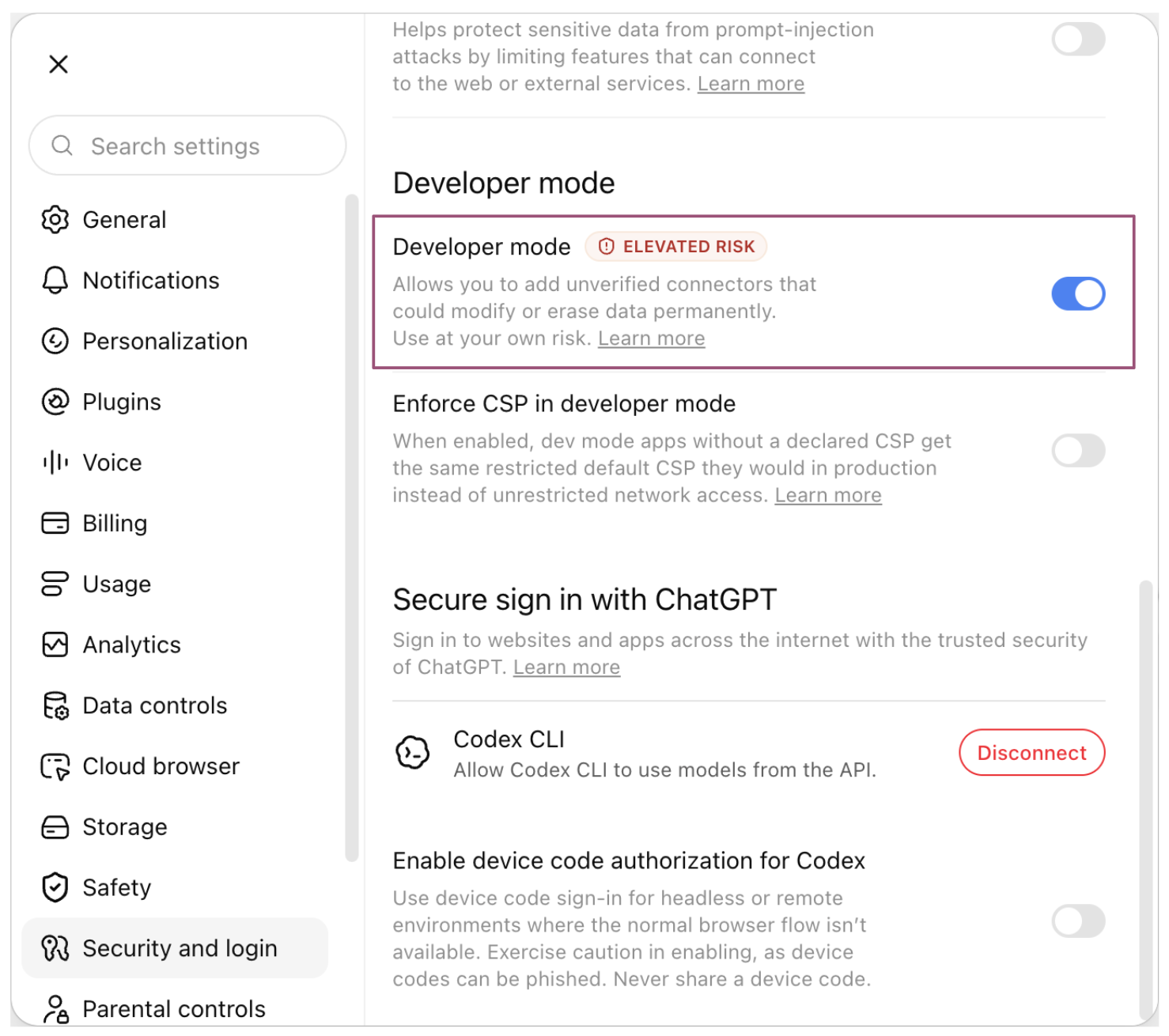
Enable developer mode
Go to chatgpt.com, click your profile, and open Settings. Choose Security and login, then turn on the Developer mode toggle to allow custom MCP server connections.
Connection steps
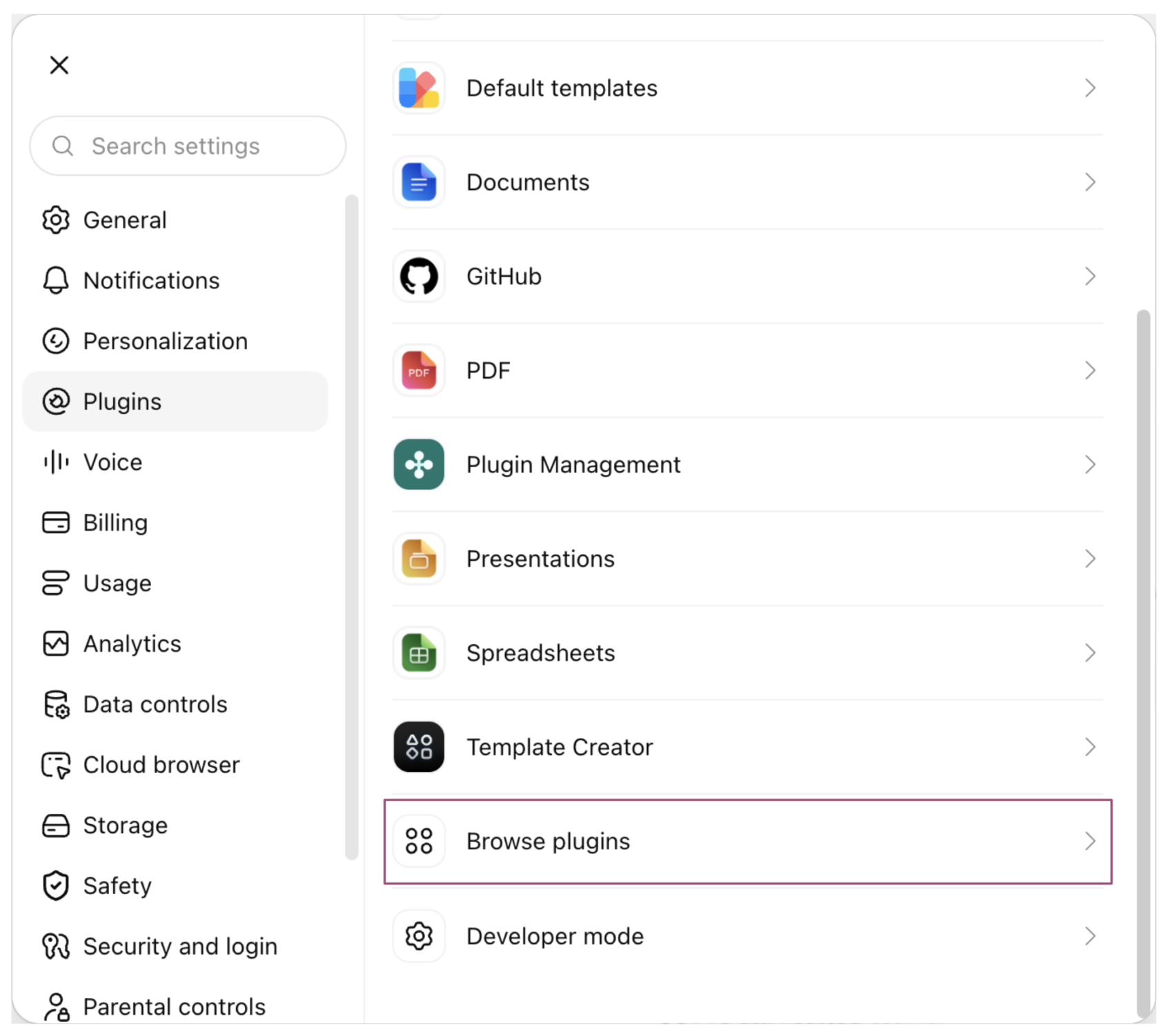
Browse plugins
Go to chatgpt.com, click your username, and open Settings. Choose Plugins, then Browse plugins.
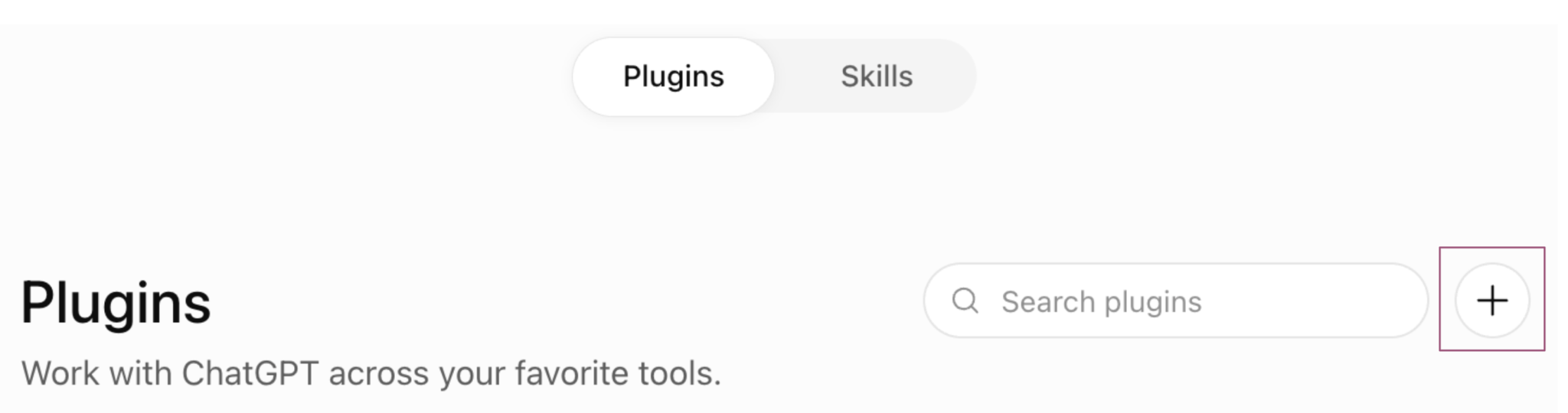
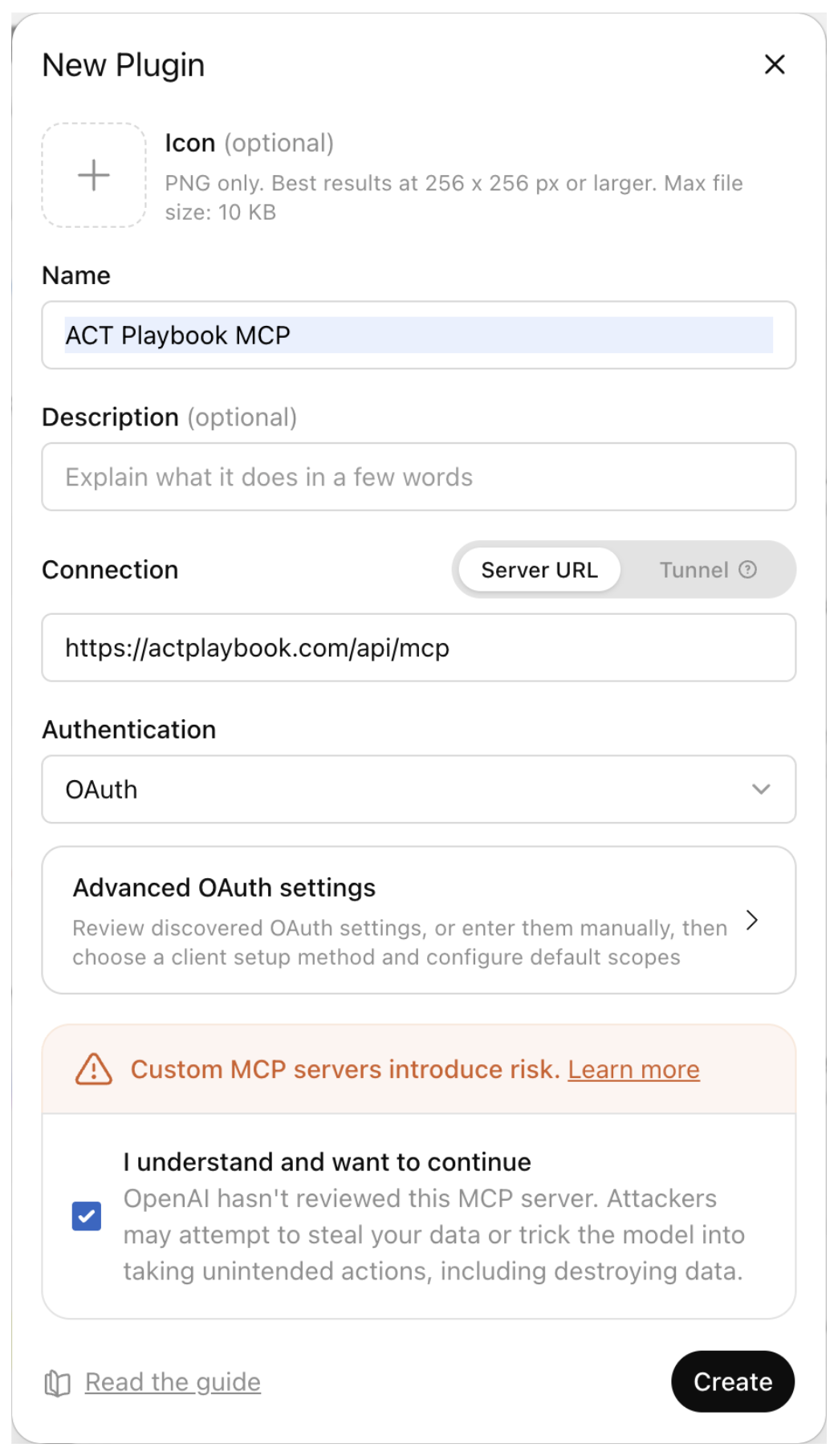
Enter the server details
Fill in the following fields:
| Field | Value |
|---|---|
| Name | ACT Playbook MCP |
| Server URL | https://actplaybook.com/api/mcp |
| Authentication | OAuth |
Read the custom MCP server risk notice, select “I understand and want to continue,” and click Create.
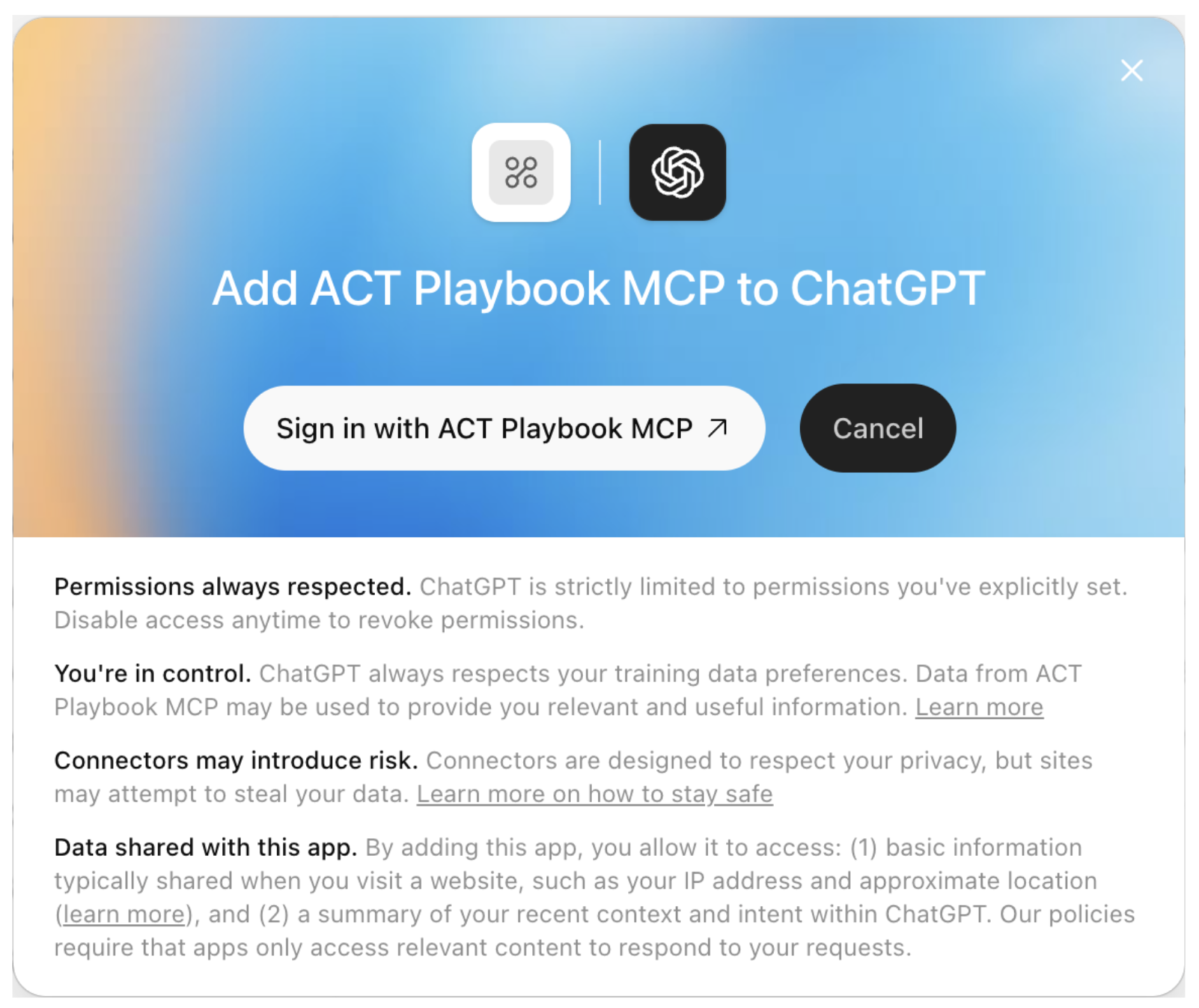
Log in to ACT Playbook
Log in to the ACT Playbook application using your preferred sign-in method.
Choose your organization
Select the organization whose value architecture you want to use in ChatGPT.
Allow access
Click Allow to grant access to the selected organization's value architecture data through MCP.
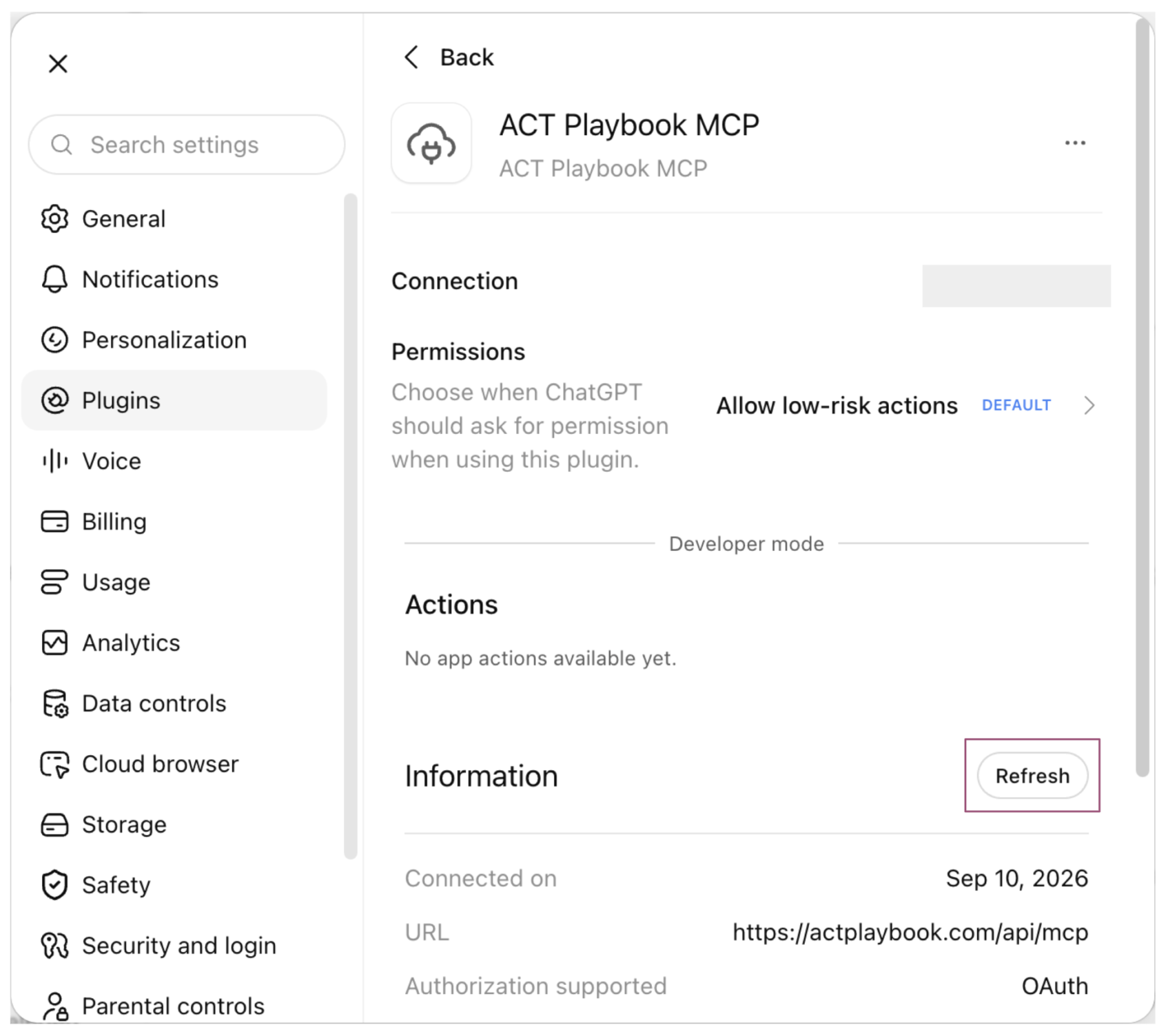
Refresh the available actions
Once connected, click Refresh in the ACT Playbook MCP settings to load the server's available commands. When the refresh finishes, the Actions list should show commands such as get_case_study.
Verify the connection
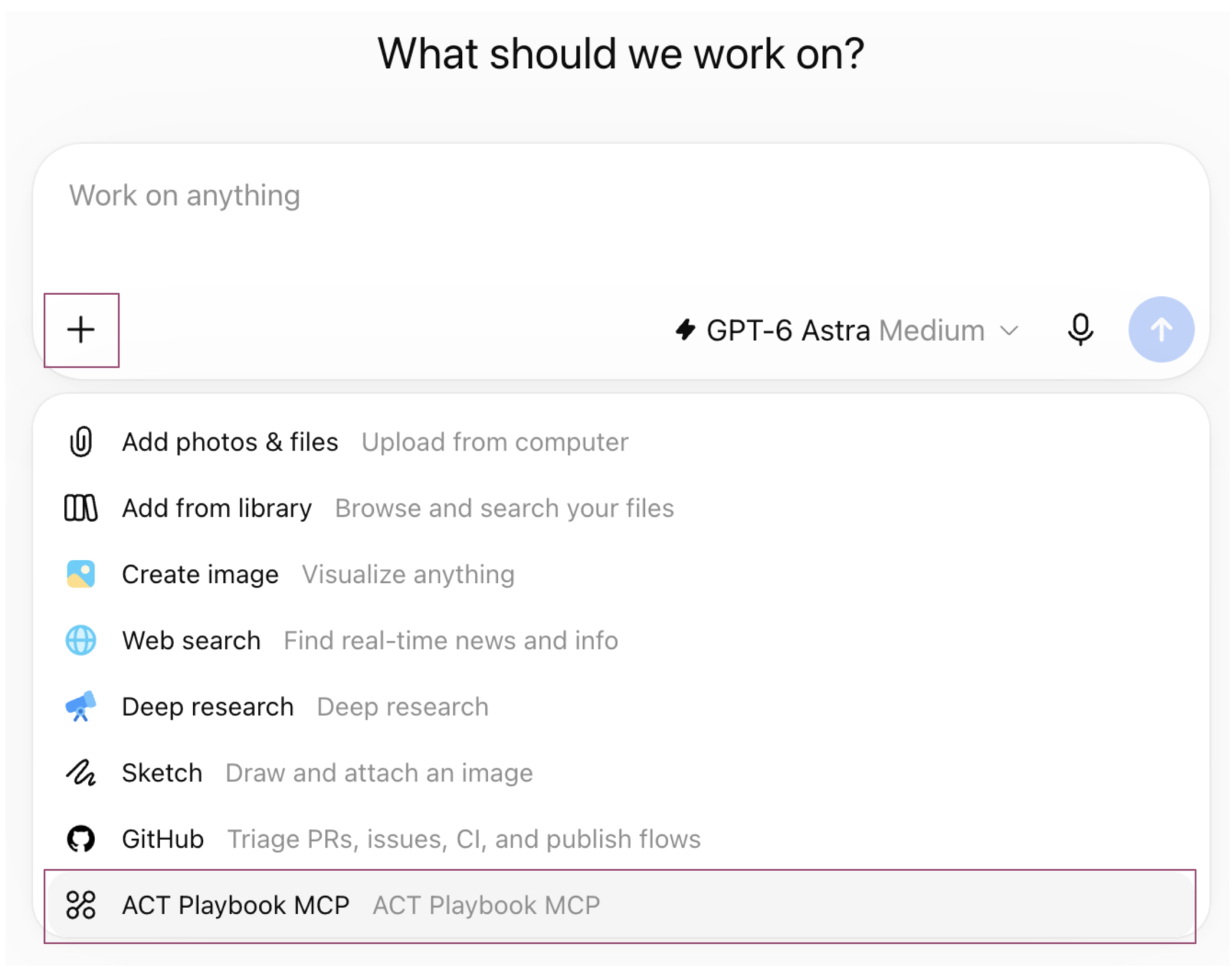
Add ACT Playbook MCP to a chat
Close Settings and open a new chat. Click the plus button for files and more, then select ACT Playbook MCP.
Try a first prompt
Send this prompt:
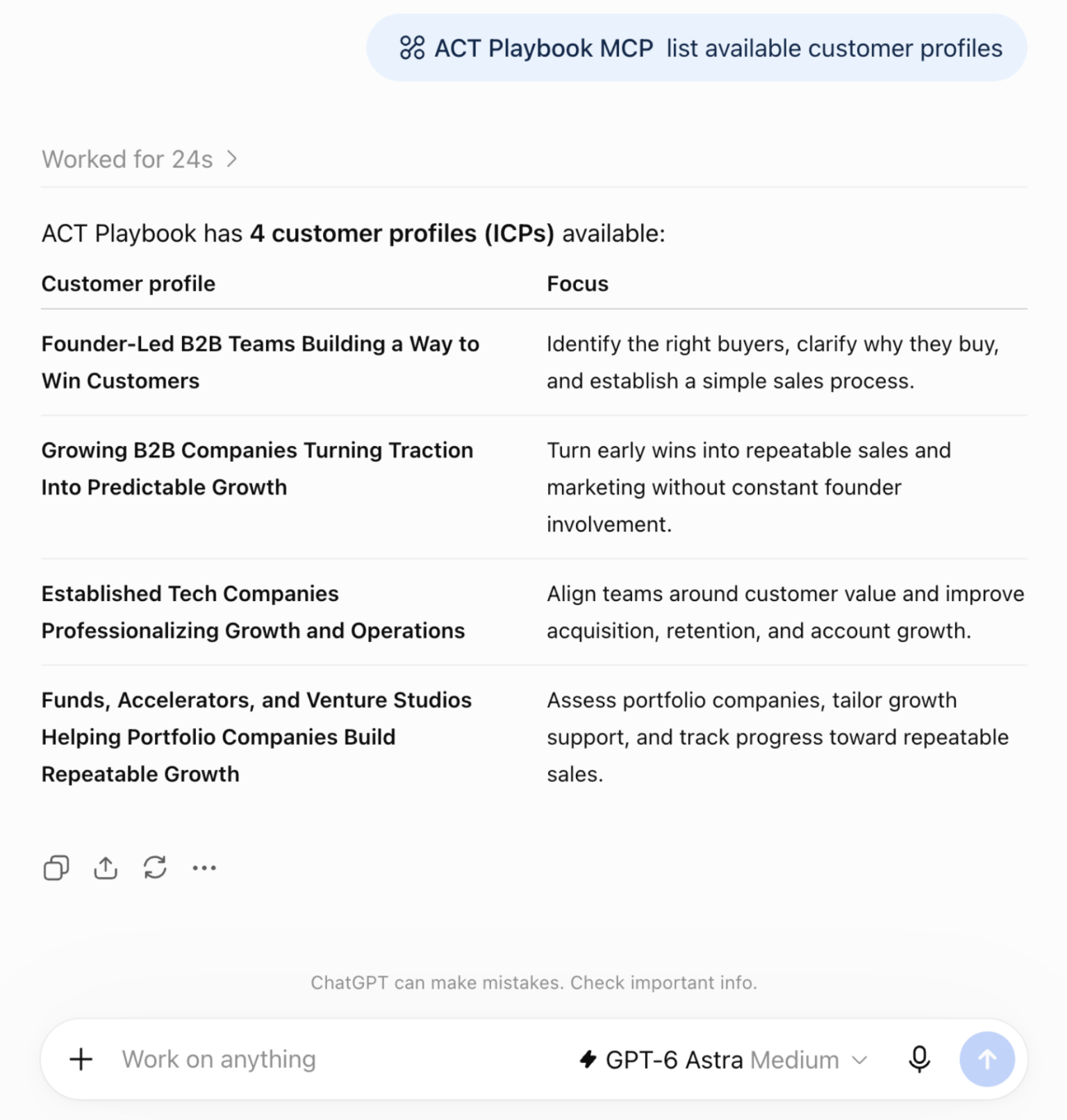
List available customer profiles.
ChatGPT reads the customer profiles from the MCP server and displays them in the chat. The results should show your own organization's ideal customer profiles (ICPs). The screenshot shows example data from the ACT Playbook organization; your profile names and count will depend on the organization you selected.
Use your value architecture in your work
Use ACT Playbook MCP to ground content, email follow-ups, and other work in your organization's value architecture. In ChatGPT on the web or desktop, or in Codex, select ACT Playbook MCP wherever it is available before prompting.
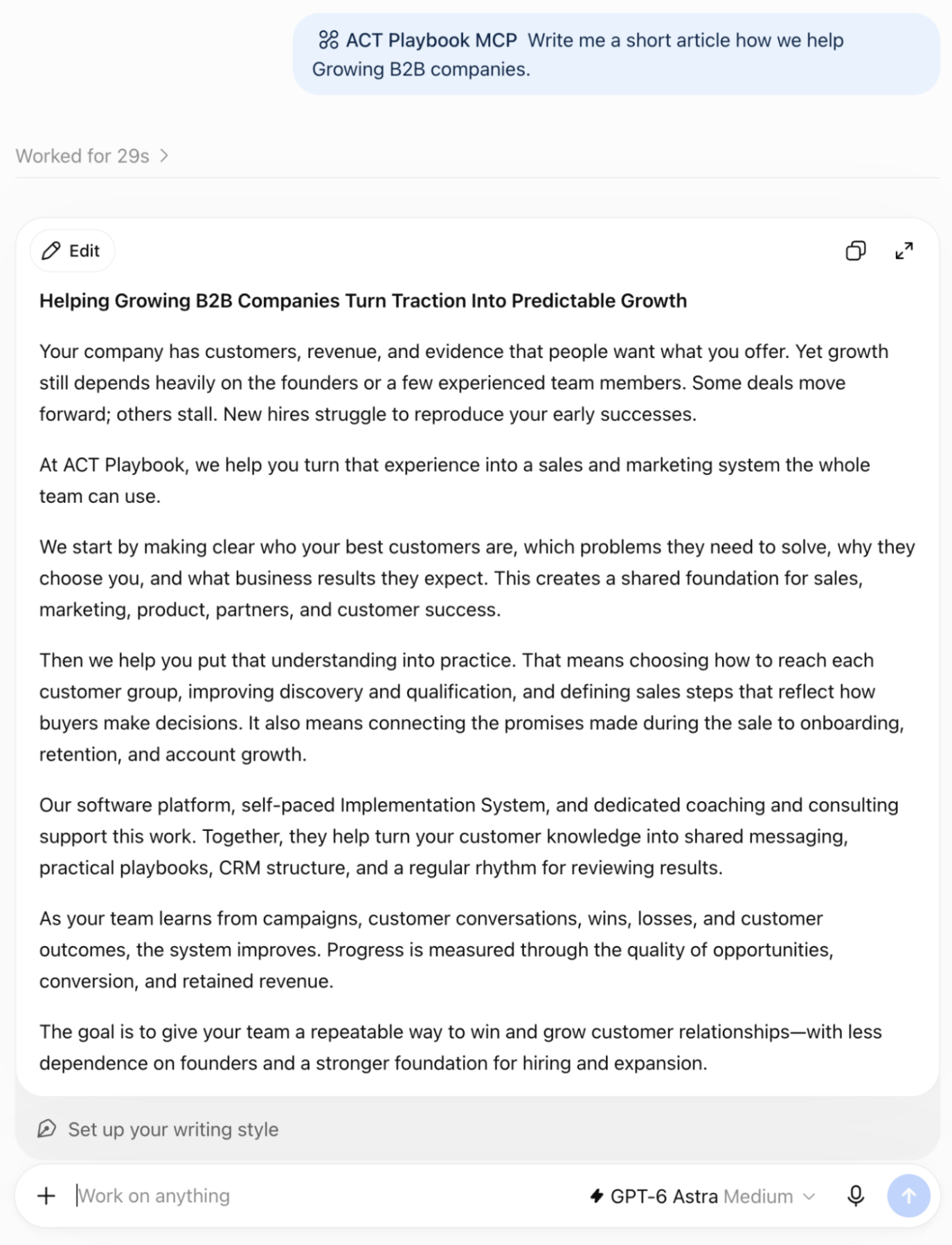
For example, ask for an article based on one of your customer profiles. Replace “growing B2B companies” with an ICP from your own organization:
Write me a short article about how we help growing B2B companies. Use our value architecture from ACT Playbook MCP.
Claude: Web, Desktop, Cowork, Code
Connection steps
Add a custom connector
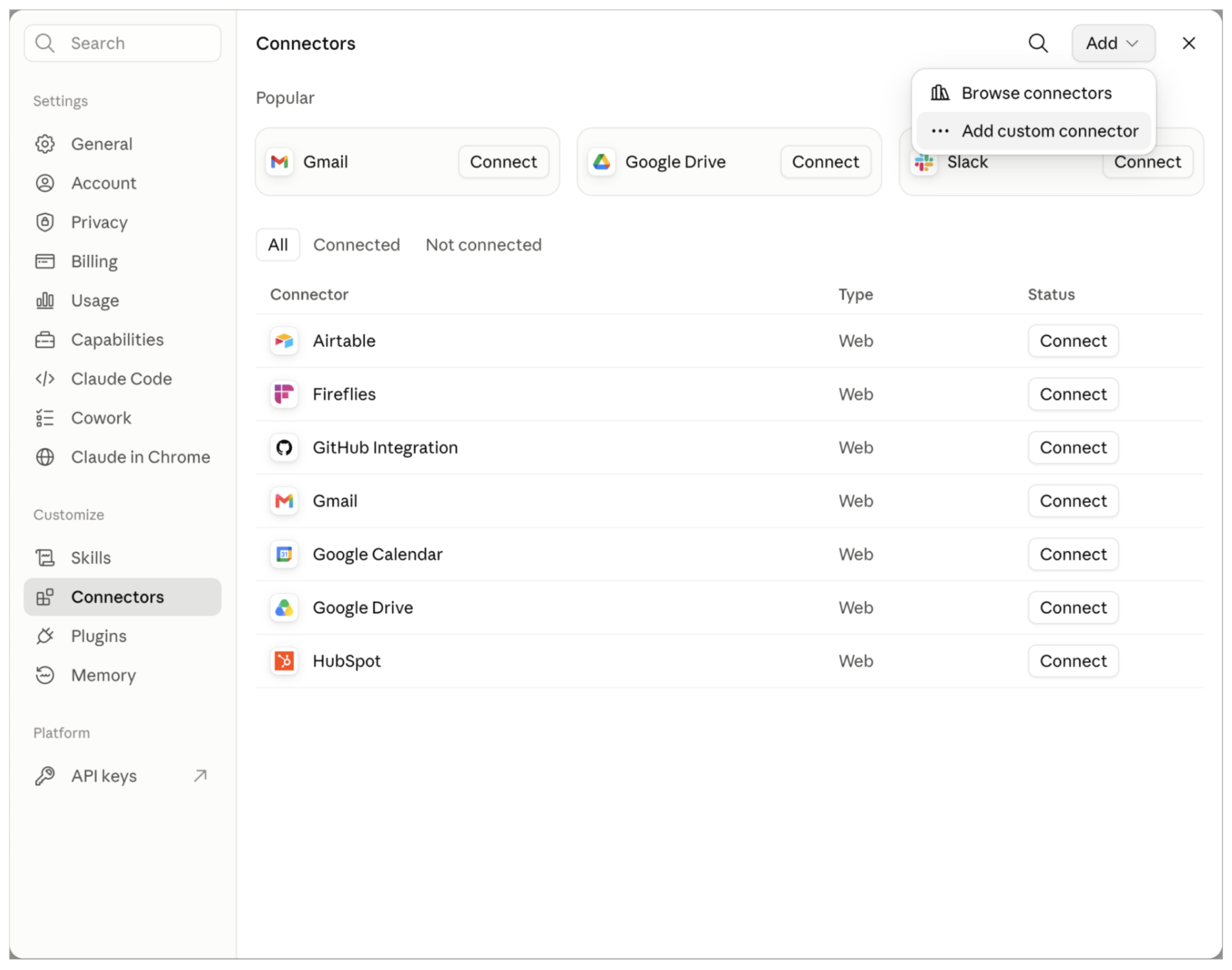
Open claude.ai, select Customize in the navigation bar, and choose Connectors. Click Add, then Add custom connector.
Enter the server details
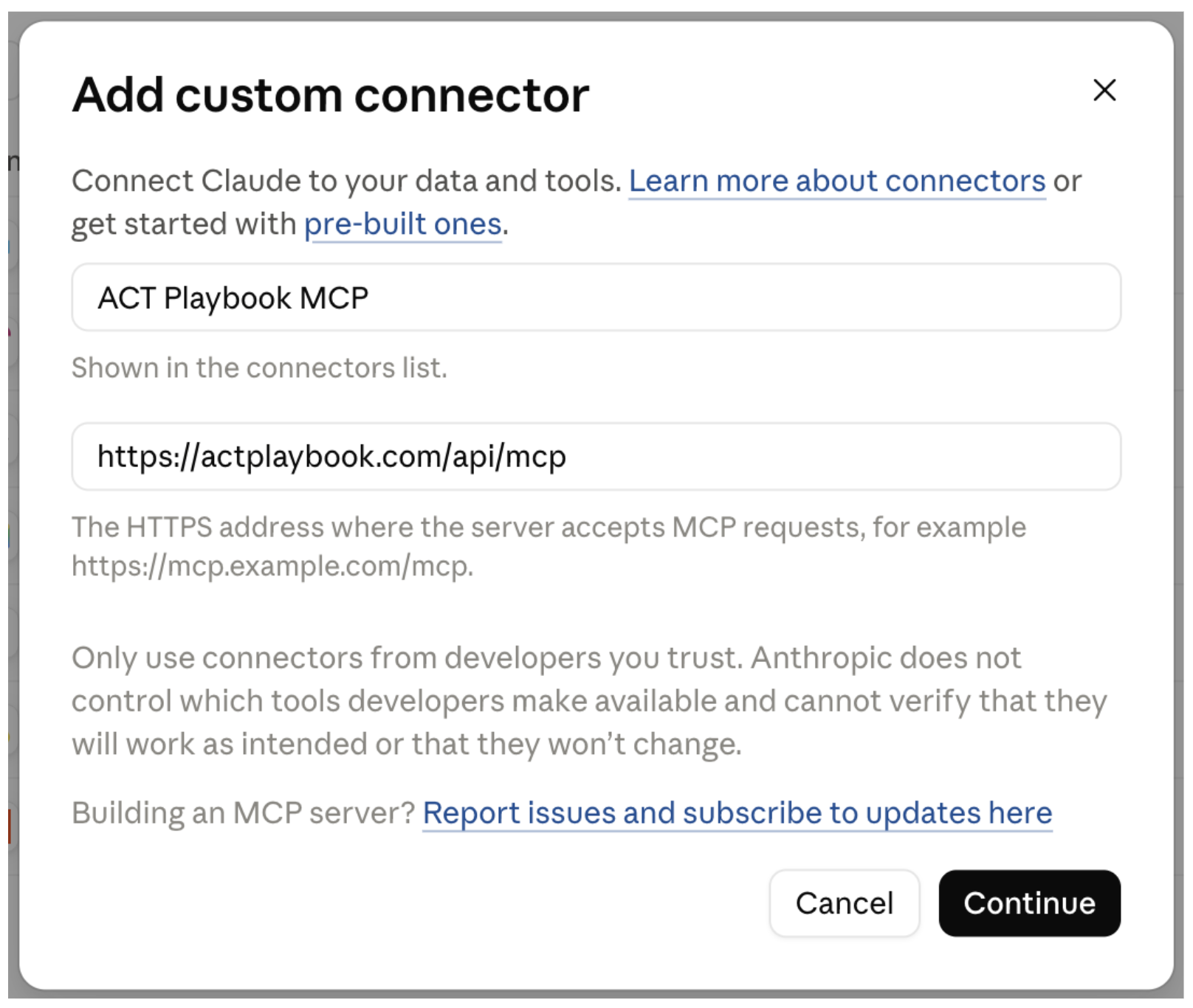
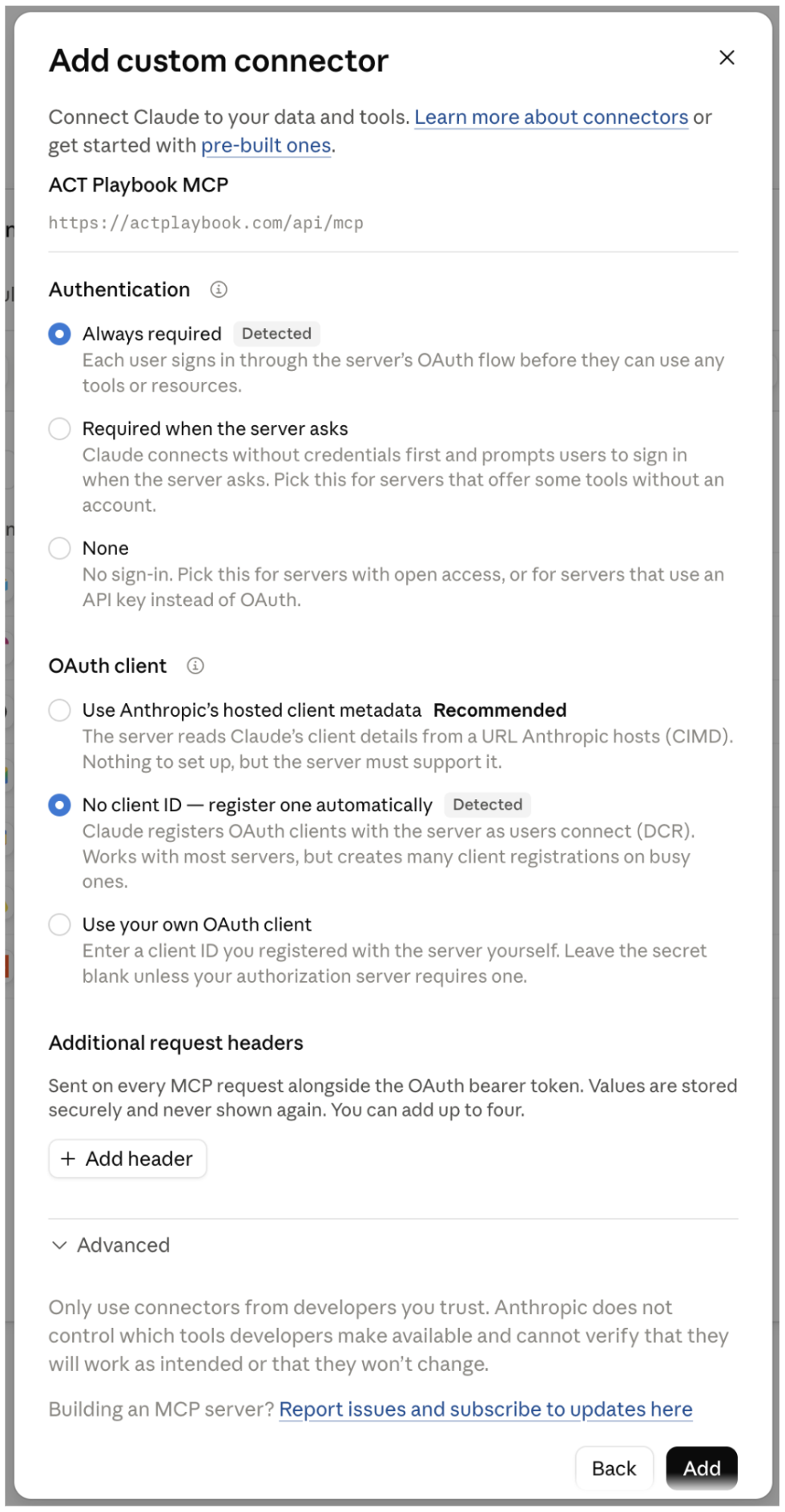
Fill in the following fields, then click Continue:
| Field | Value |
|---|---|
| Name | ACT Playbook MCP |
| URL | https://actplaybook.com/api/mcp |
Keep the default authentication settings
Keep the detected defaults: authentication is always required, and Claude registers an OAuth client automatically. Click Add.
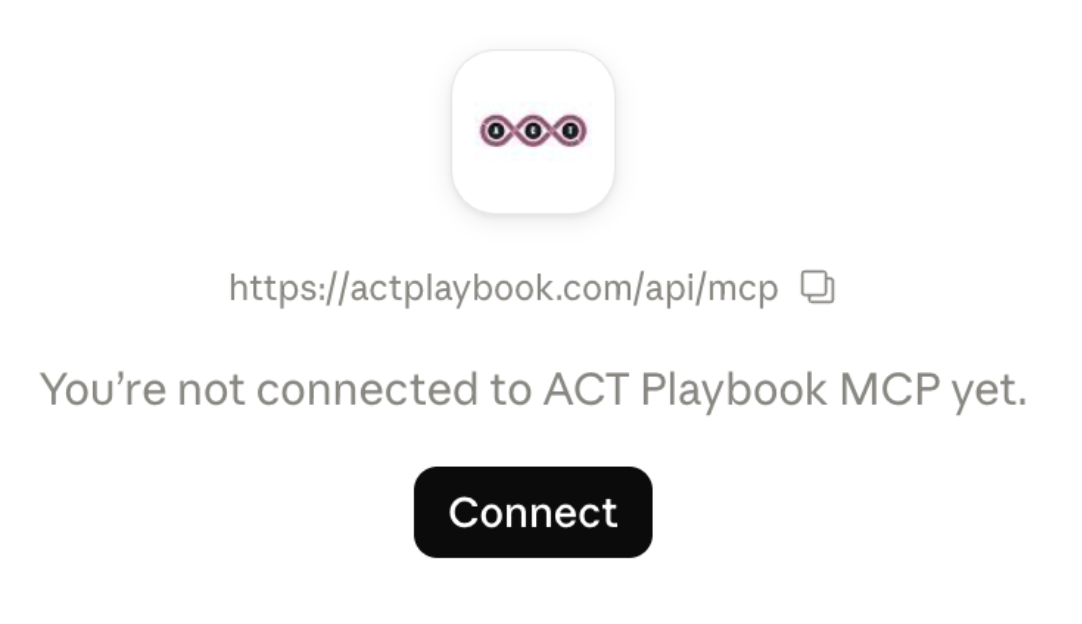
Log in to ACT Playbook
Log in to the ACT Playbook application using your preferred sign-in method.
Choose your organization
Select the organization whose value architecture you want to use in Claude.
Allow access
Click Allow to grant access to the selected organization's value architecture data through MCP.
View the available tools
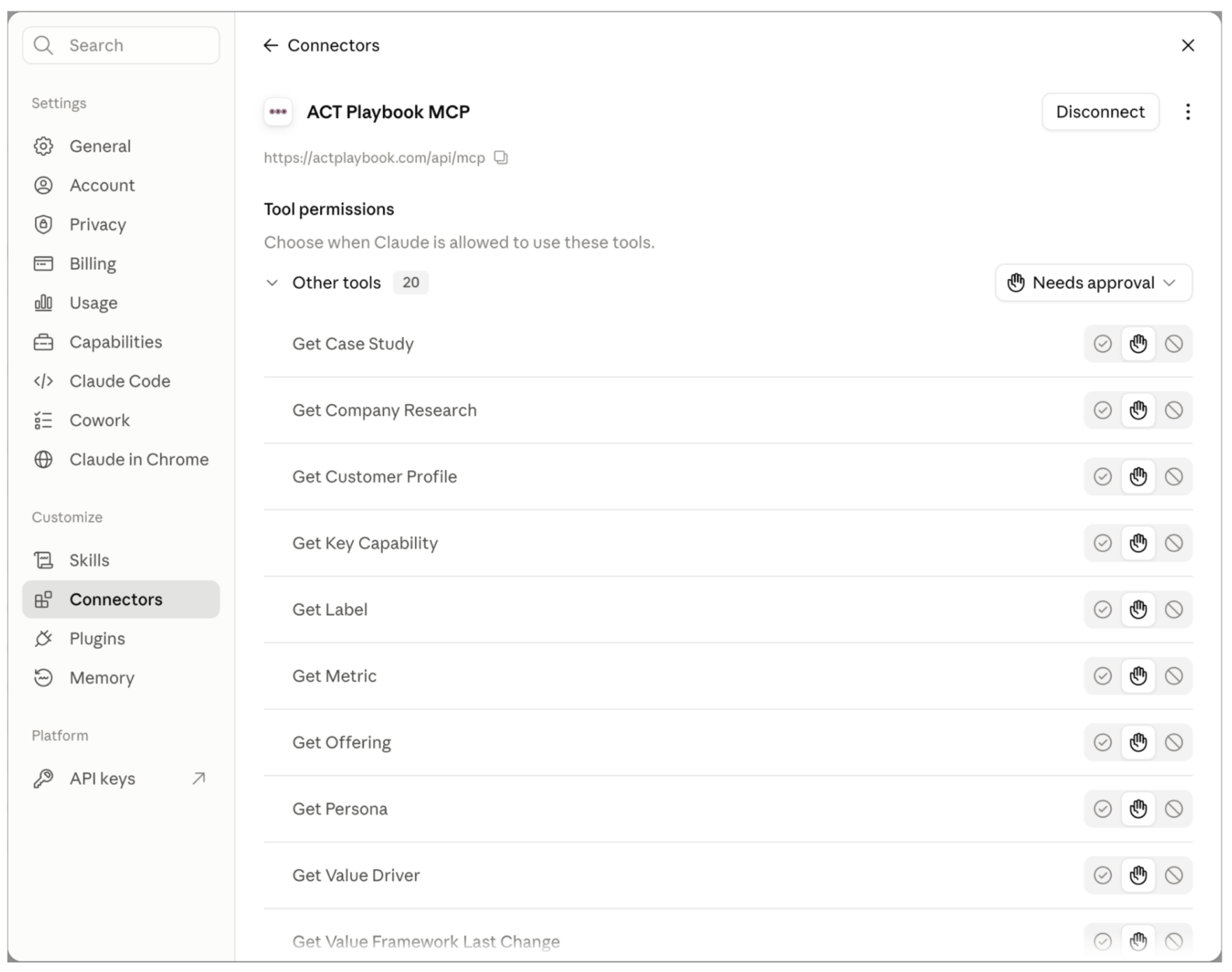
After successful authentication, the connector shows the available tools, such as Get Case Study and Get Customer Profile. You can now close the connector dialog.
Verify the connection
Add ACT Playbook MCP to a chat
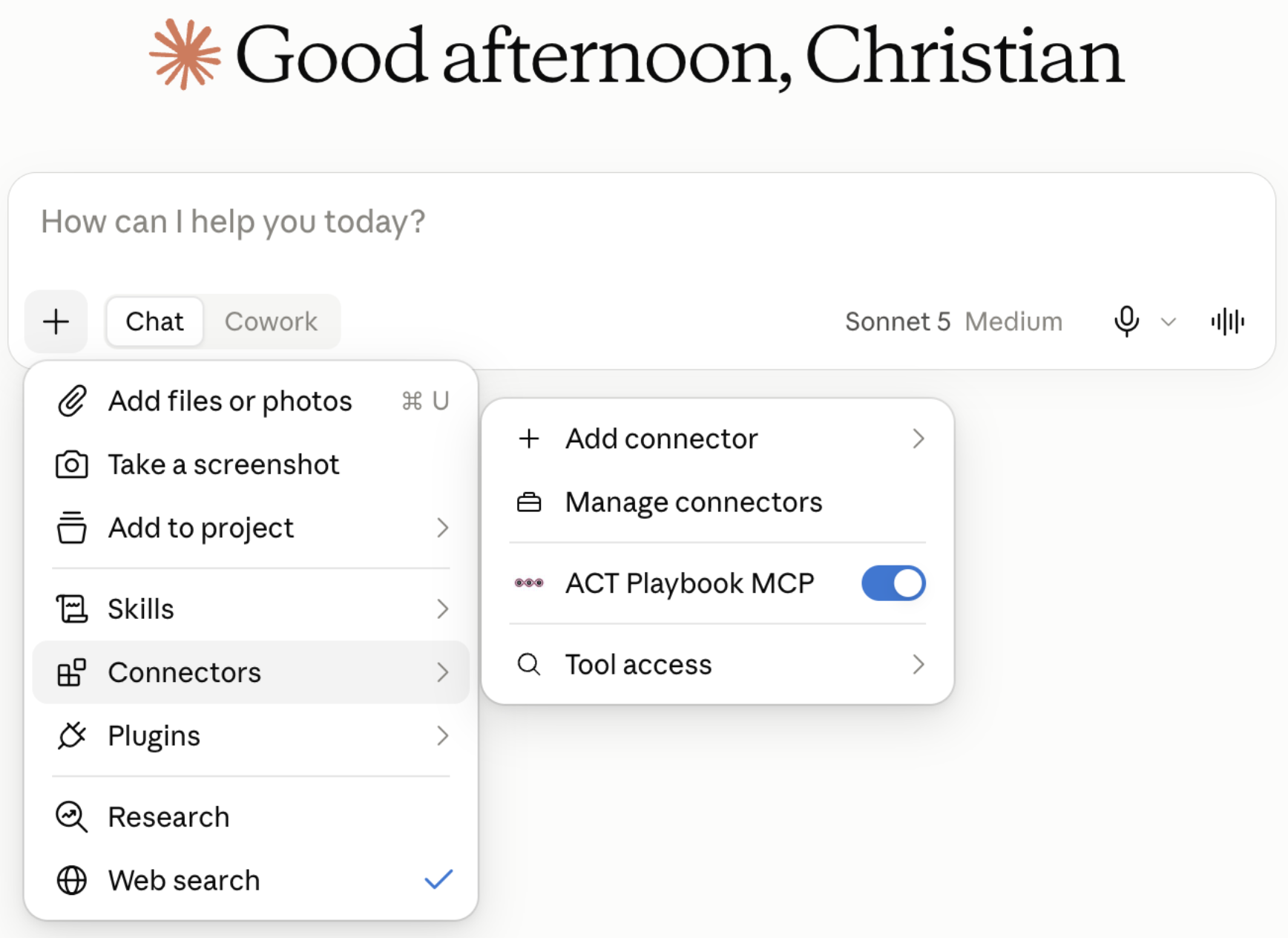
Open a new conversation and click the plus button. Choose Connectors and make sure the ACT Playbook MCP toggle is enabled.
Try a first prompt
Send this prompt:
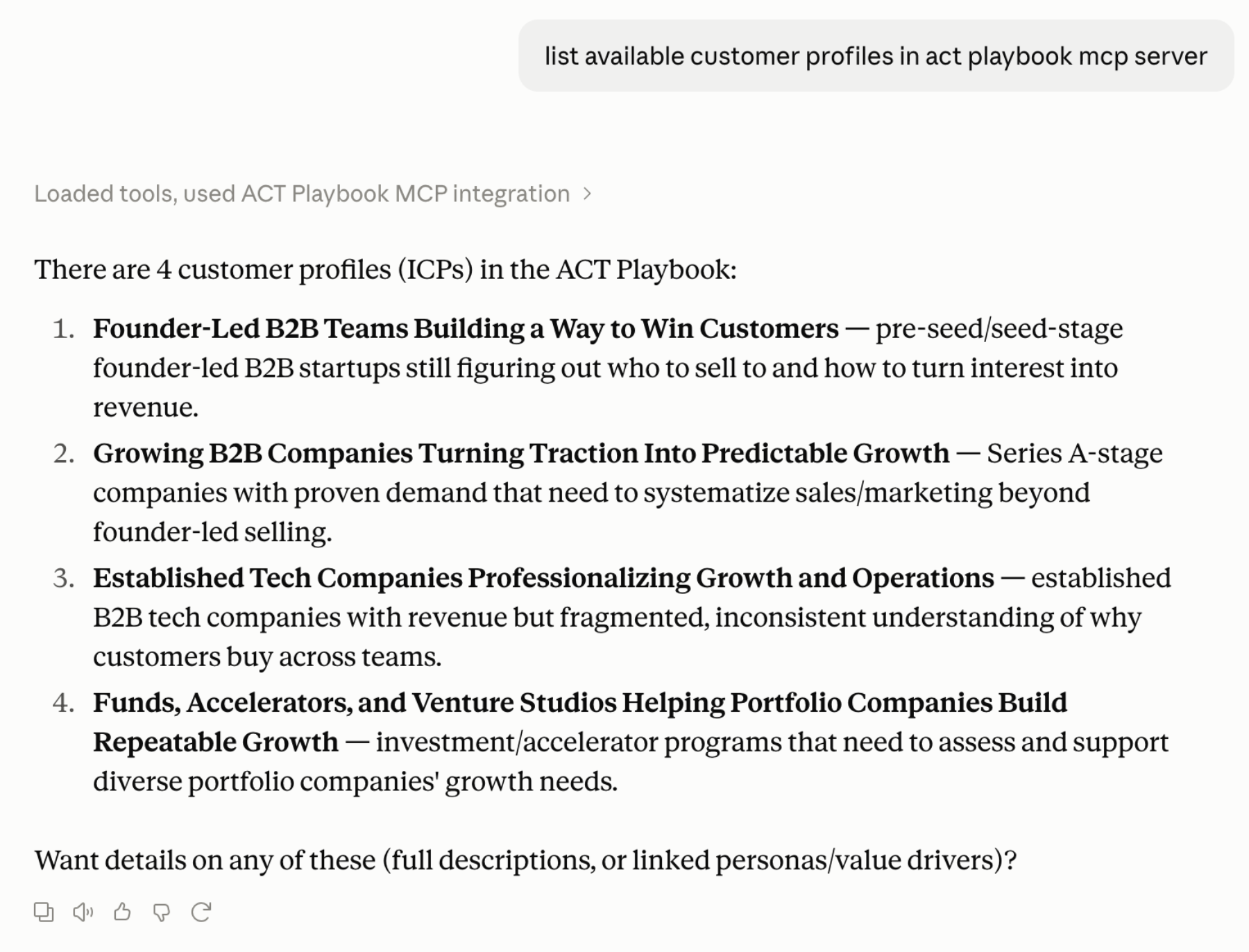
List available customer profiles in ACT Playbook MCP server.
Claude reads the customer profiles from the MCP server and displays them in the chat. The results should show your own organization's ideal customer profiles (ICPs). The screenshot shows example data from the ACT Playbook organization; your profile names and count will depend on the organization you selected.
Use your value architecture in your work
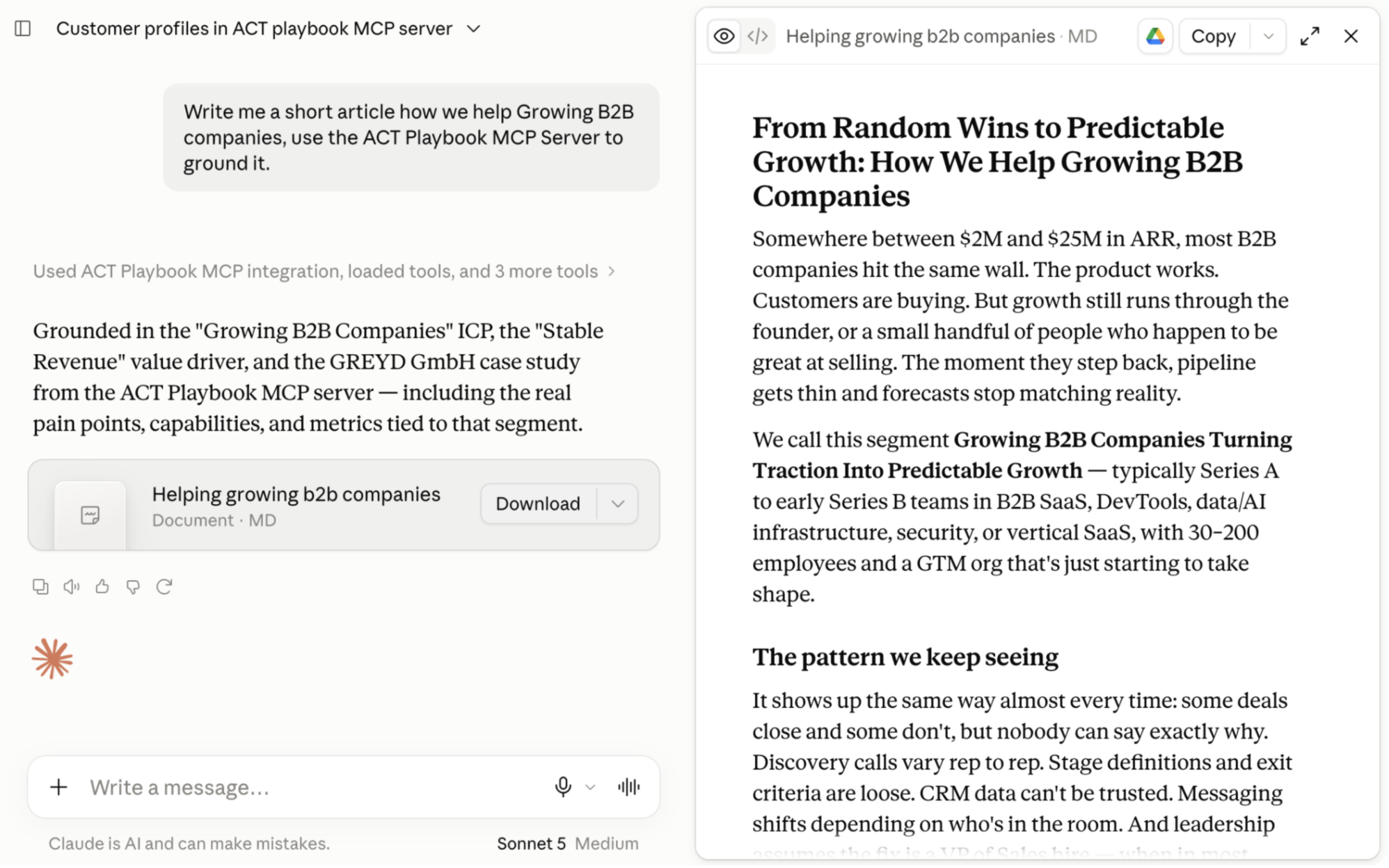
Use ACT Playbook MCP to ground content, email follow-ups, and other work in your organization's value architecture. Keep the ACT Playbook MCP connector enabled in your Claude conversation before prompting.
For example, ask for an article based on one of your customer profiles. Replace “growing B2B companies” with an ICP from your own organization:
Write me a short article about how we help growing B2B companies. Use our value architecture from ACT Playbook MCP.